Here are some guidelines to help, if you would like to make a donation to NSVI online.
- Click HERE to open our “Make a Donation” page in a second window. That way, you can keep these instructions in one window while you make your donation in another.
- In the new window, click Donate. Here’s what you’ll see:
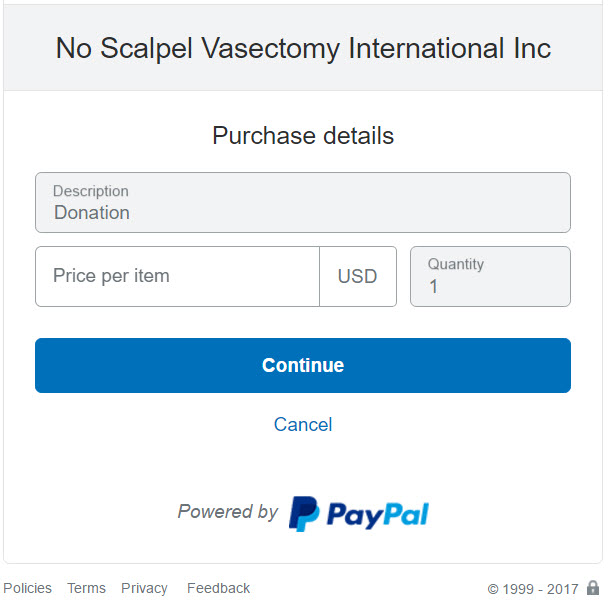
- Enter the amount that you wish to donate where it says “Price per item” as XX.XX (dollars and cents without the dollar sign). Then click “Continue”. Here’s what you’ll see, assuming that you entered 25.00 in the “Price per item” field.
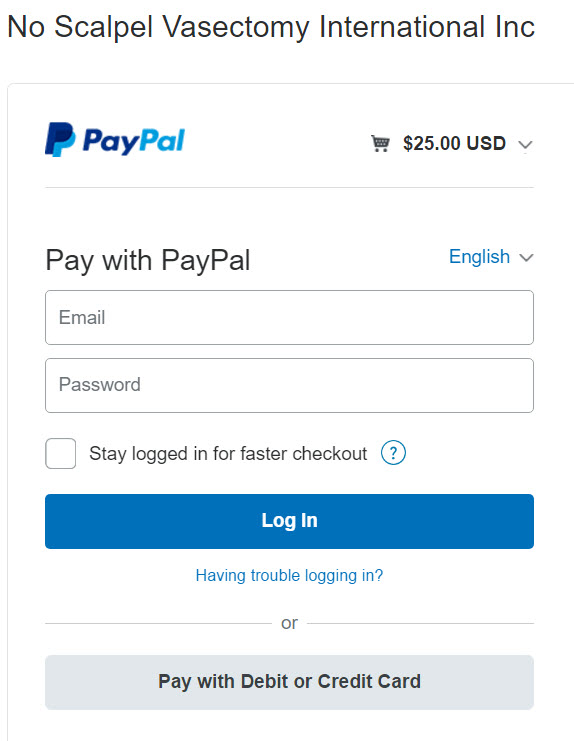
- You may pay using your PayPal account or “Pay with Debit or Credit Card”. Let’s assume that you use a credit card. Click that gray box.
- On the next screen, enter your credit card information, then click “Pay Now”. NSVI gets NO information about your credit card. It is hidden from us by PayPal.
- That’s it! Simple as that.
You will receive an e-mail receipt for the transaction. And you will receive a letter of thanks from Dr. Doug Stein, President of NSVI, which may be used to document your tax-deductible contribution. No Scalpel Vasectomy International, Inc.(NSVI) is a non-profit corporation established in May, 2002 in Pennsylvania, a 501(C)(3) corporation.
If you decide to donate using a US bank check, please make it payable to NSVI, Inc. and mail it to No-Scalpel Vasectomy International, Inc.; 18224 Clear Lake Drive; Lutz, FL 33548. On the memo line, you may add a directive such as “General Fund” or “Philippines Domestic Program”, etc.
NSVI is registered with Amazon Smile. Go to: https://smile.amazon.com/ch/68-0502231